
Key Summary
- Title tags under 60 characters with the primary keyword near the front get higher CTRs and stronger ranking signals.
- Every page needs one H1 that matches search intent exactly, with H2s and H3s structured to earn featured snippets.
- Meta descriptions do not directly influence rankings but do control CTR, which influences rankings indirectly.
- Internal links pass authority, set topical context, and directly improve crawl coverage for new pages.
- Content depth, not content length, is the real ranking factor. Cover every sub-question the user has, not just the main one.
- Google’s AI Overviews and LLMs like ChatGPT pull from pages with answer-first structure, clear hierarchy, and factually specific claims, optimizing for that.
Most SEO articles give you a list of 50 things to “optimize.” Half of those things stopped mattering years ago. The other half are listed without telling you what to actually do, what to avoid, or why the item exists in the first place.
This on-page SEO checklist is different. Every item here directly influences rankings, AI citation eligibility, or both. I built this from auditing hundreds of pages across niches, from D2C eCommerce to SaaS to service-based businesses. What you’ll find below is what actually moves the needle, explained at the level of someone doing the work, not just reading about it.
Step 1: Nail the On-Page SEO Checklist Foundation with Keyword and Intent Alignment
Before you touch a single heading or meta tag, the most important on-page SEO decision is already made: which keyword are you targeting, and does your content match what the searcher actually wants?
Every other item on this checklist is pointless if the page targets the wrong keyword or misreads search intent. I have seen technically perfect pages sit at position 40 because the content answered a different question than what people were searching.
Match the Primary Keyword to Dominant Search Intent
Open Google and search your target keyword. Look at the first five organic results, not the ads. What format are they using? Are they listicles, step-by-step guides, product pages, comparison posts, or definition articles? That format is what Google’s algorithm has decided best satisfies searcher intent for that query.
If you want to rank for “on-page SEO checklist” and four out of five top results are listicle guides, a long-form opinion essay will not compete, no matter how well it is written. Match the format.
Beyond format, look at the angle. If top results all say “for beginners,” your advanced-only content targets a gap that can work, but only if there is search demand for that angle. Tools like Ahrefs Keywords Explorer let you see modifier breakdowns (beginner, advanced, free, tool, guide) to identify which angle has the most search volume.
Target One Primary Keyword Per Page
The rule is still one primary keyword per page, but the definition of “primary keyword” has evolved. You are not targeting a single phrase in isolation. You are targeting a topic cluster anchored by a head term.
If your primary keyword is “on-page SEO checklist,” your page should also naturally cover related terms like “on-page optimization steps,” “title tag best practices,” and “meta description length,” not because you forced them in, but because a thorough answer to the primary keyword requires them.
Google’s NLP systems (specifically BERT and MUM) identify whether a page covers a topic completely. A page targeting “on-page SEO checklist” that never mentions title tags or internal linking is not a complete answer. The semantic coverage matters.
Use Ahrefs’ “Also rank for” report or the “People Also Ask” section in Google search to find the sub-questions and related terms that should appear naturally in your content.
Verify Search Volume Before Investing
A keyword with 50 monthly searches is not worth a 4,000-word guide unless it sits in a funnel where each click is worth a significant amount. Before writing, confirm the keyword has enough volume to justify the effort.
Ahrefs and Semrush both show global and country-specific monthly search volumes. For informational keywords, targeting 500 to 2,000 monthly searches is a reasonable sweet spot if your domain is new or mid-authority. High-volume terms (5,000+) require significantly more backlink authority to crack.
Step 2: Optimize Title Tags – The Single Most Impactful On-Page SEO Element
The title tag is the first on-page element Google reads, the first thing a searcher sees in the SERP, and the most heavily weighted on-page ranking factor. If you do one thing on this checklist, do this right.
Keep Title Tags Under 60 Characters
Google truncates titles that exceed roughly 580 to 600 pixels wide in the SERP. That typically corresponds to 55 to 60 characters. Truncated titles lose CTR because searchers cannot read the full value proposition.
Write your title in full, then check its pixel width using tools like Mangools’ SERP Simulator or the free title checker at Zyppy. Do not rely on raw character count alone since wide characters like “W” take more pixel space than narrow ones like “i.”
Put the Primary Keyword as Close to the Front as Possible
Earlier placement of the primary keyword correlates with stronger relevance signals. “On-Page SEO Checklist for 2026 (Step-by-Step Guide)” outperforms “The Complete Step-by-Step Guide to On-Page SEO in 2026” because the core keyword appears earlier.
This matters for two reasons: Google gives slightly more weight to terms that appear earlier in the title, and searchers scanning SERPs recognize relevance faster when the keyword is front-loaded.
Add a CTR Modifier Without Sacrificing Clarity
Modifiers like “Step-by-Step,” “Complete Guide,” “Checklist,” “Free,” “With Examples,” or a year (when freshness is relevant) increase CTR without hurting relevance. Use one or two, not five.
Avoid clickbait modifiers that create a mismatch between the title and the actual content. A high CTR followed by a high bounce rate sends Google a negative quality signal. The goal is clicks that convert to time-on-page.
Avoid Keyword Stuffing in Titles
“On-Page SEO Checklist: On-Page SEO Optimization Steps for On-Page SEO” is a keyword-stuffed title. It looks spammy, lowers CTR, and Google’s systems are sophisticated enough to recognize this as a low-quality signal. One natural use of the primary keyword per title is the rule.
Step 3: Structure Headings and Content for On-Page SEO and AI Overview Eligibility
Heading structure is where most on-page SEO checklists stop at “use H1, H2, H3.” That is not enough. Heading structure directly affects featured snippet eligibility, AI Overview citation, and how Google’s crawlers interpret your content hierarchy.
One H1 Per Page, Aligned with the Title Tag (but Not Identical)
Your H1 is the on-page title, distinct from the HTML title tag. It should contain the primary keyword and clearly state what the page covers. It does not need to be identical to the title tag.
Title tag: “The Complete On-Page SEO Checklist for 2026 (Step-by-Step Guide)” H1: “The Complete On-Page SEO Checklist for 2026”
Having two H1s on a page is technically allowed in HTML5, but it confuses Google’s heading hierarchy interpretation. Keep it to one.
Use H2s to Signal the Core Topic Clusters
Each H2 represents a major subtopic within your page. For a checklist-format page, each H2 should cover a distinct checkpoint category. For a guide, each H2 should represent a major phase or concept.
Every H2 should contain the focus keyword or a semantically close variant of it. Not because you are stuffing keywords into headings, but because a page about “on-page SEO checklist” should naturally have H2s about on-page SEO topics. If your H2s read like a completely different topic, you have a content architecture problem.
For AI Overview eligibility specifically: Google’s AI pulls structured answers from pages with clear, hierarchical heading structures. A page with five well-defined H2s and descriptive H3s underneath each one is far more likely to get cited than a wall of text without clear section breaks.
Use H3s to Break Down Complexity Inside Each H2
Every H2 with more than three paragraphs of content needs H3 subheadings. H3s are how you signal to Google that a section contains multiple distinct concepts, not just more text on the same point.
H3s also serve a practical purpose for featured snippets. When Google extracts a step-by-step list or a definition from a page, it typically pulls from a well-structured H3 section followed by a short, direct paragraph. If you want snippet real estate, structure your H3s with an answer-first paragraph underneath.
Write Answer-First Paragraphs Under Every Heading
The single structural change that most improves both SEO and AI eligibility: lead every section with a complete, direct answer to what the heading promises, before expanding into detail.
Bad structure: “There are several things to consider when optimizing your title tags. First, you need to think about length. The reason length matters is…”
Good structure: “Title tags should be under 60 characters and include the primary keyword in the first half. Longer titles get truncated in SERPs, which reduces CTR and weakens the relevance signal.”
The second version gives Google (and AI systems) a clean, extractable answer in the first sentence. The explanation follows. This is the format that earns featured snippets and AI citations.
Step 4: Optimize Meta Descriptions, URLs, and Technical On-Page SEO Elements
These elements do not all carry direct ranking weight, but they affect CTR, crawl efficiency, and page quality signals that feed back into rankings indirectly.
Write Meta Descriptions Between 150 and 160 Characters
Google does not use meta descriptions as a ranking factor. But they appear in the SERP directly under your title, and a well-written meta description increases CTR by clearly communicating the value of clicking.
Pages without a meta description get one auto-generated by Google from the page content, and Google’s auto-generated snippets are rarely as compelling as a hand-written one. Write your own.
Include the primary keyword (it gets bolded in the SERP when it matches the search query, which increases visibility), a clear value proposition, and ideally a call to action. “Learn the complete on-page SEO checklist used to rank pages across competitive niches, including title tags, content structure, and AI optimization steps” is a strong meta description.
Keep URLs Short, Lowercase, and Keyword-Focused
URL best practices are straightforward:
- Use hyphens to separate words, not underscores
- Include the primary keyword and remove stop words (the, a, for, of)
- Keep it as short as possible while remaining descriptive
- Use lowercase letters exclusively
- Avoid dynamic parameters in the URL whenever possible
“janardandas.com/on-page-seo-checklist” is correct. “janardandas.com/blog/2026/01/15/the-complete-on-page-seo-optimization-checklist-guide-for-2026” is not.
Short, clean URLs are easier for users to read and share, and Google has confirmed they prefer descriptive, concise URLs.
Add Target Keywords to the First 100 Words of Body Content
The primary keyword should appear naturally within the first 100 words of your article body (not counting the title or headings). This signals to Google what the page is about before any other content is processed.
It should not be forced. Write the introduction normally, and if the keyword does not appear naturally in the first 100 words, it is usually a sign the introduction is not focused enough on the core topic.
Optimize Image Alt Text for Context, Not Just Keywords
Every image on the page should have descriptive alt text that explains what the image shows. Alt text serves two purposes: accessibility for screen readers, and a secondary signal to Google about the page’s topic.
For a page about on-page SEO, an image of a title tag optimization example should have alt text like “Example of an optimized title tag under 60 characters with keyword at the front” rather than “seo-title-tag.jpg” or just “title tag.”
Do not keyword-stuff alt text. One image with your primary keyword in the alt text is appropriate. Multiple images all containing the same keyword phrase look manipulative.
Step 5: Build Internal Links and Content Depth into Every On-Page SEO Audit
Internal linking and content depth are the two most underused items on any on-page SEO checklist. Both directly affect rankings. Both get treated as afterthoughts.
Add 3 to 5 Internal Links Per Page
Every page you publish should link to at least three to five other relevant pages on your site using descriptive anchor text. Internal links do three things:
First, they pass PageRank. When a high-authority page on your site links to a newer or lower-authority page, it distributes link equity to that page. This is why building a strong homepage and cornerstone content pages matters, they become link equity distributors for the rest of your site.
Second, they establish topical context. If your page on “on-page SEO checklist” links to your pages on “title tag optimization,” “meta description guide,” and “internal linking strategy,” you are signaling to Google that your site covers the broader topic of on-page SEO in depth.
Third, they improve crawl coverage. Google’s crawler follows internal links to discover and re-crawl pages. Pages with no internal links pointing to them (orphan pages) often get crawled infrequently and rank poorly.
Use anchor text that describes the content of the destination page, not generic text like “click here” or “read more.” “Read the full guide to title tag optimization” tells Google what the linked page is about. “Click here” does not.
Cover Every Sub-Question the Searcher Has
Content depth is not word count. I have seen 800-word pages outrank 3,000-word pages because the shorter page answered every sub-question in the search intent completely, while the longer page repeated the same surface-level points.
Before writing, identify every question a reader might have after reading your main content. Use the “People Also Ask” boxes in Google, the “Related Searches” section at the bottom of the SERP, and Ahrefs’ “Questions” report for the primary keyword.
For an “on-page SEO checklist” page, sub-questions include: How many H1 tags per page? What is the ideal meta description length? Does URL length affect rankings? What is keyword density? How do I optimize images for SEO? Answer all of them, even briefly, within the relevant sections.
A page that answers the main query and all sub-questions is a complete resource. Complete resources earn backlinks, get cited by AI systems, and maintain rankings over time because they have no gaps that a competing page can fill.
Use Short Paragraphs Optimized for Mobile and Readability
Keep paragraphs to two to four lines maximum. Long paragraphs (six lines or more) reduce readability on mobile, increase bounce rates, and make it harder for Google’s AI systems to extract clean answers from your content.
The rhythm matters too. Vary sentence length. A long, detailed sentence followed by a short one. That contrast keeps readers moving forward. Monotone sentence structure is one of the clearest signals of AI-generated content, and it also simply makes content harder to read.
Step 6: Optimize for AI Overviews and Generative Search as Part of Your On-Page SEO Checklist
This is the item that separates a 2026 on-page SEO checklist from everything written in 2022. Google’s AI Overviews now appear above organic results for a growing percentage of queries. LLMs like ChatGPT and Perplexity are cited sources for millions of daily searches. On-page optimization now includes optimizing for these systems.
Structure FAQ Sections for AI Extraction
AI Overviews and LLMs preferentially pull from FAQ sections because the question-answer format is easy to parse and cite. Every major content page should have a FAQ section near the bottom with five to ten questions and complete, standalone answers.
“Complete” means the answer makes sense without the surrounding article. A two-sentence answer that requires reading the full post to understand is not complete. A three-sentence answer that explains the concept, provides a specific detail, and closes with a practical implication is.
Use Factually Specific, Named Claims Throughout
Vague claims are ignored by AI systems and skeptical readers alike. Specific, verifiable claims earn citations.
Vague: “Title tags should be optimized for search engines.” Specific: “Google truncates title tags at approximately 580 pixels, which typically corresponds to 55 to 60 characters, and displays the truncated version in the SERP.”
Every factual claim on your page should be as specific as the second example. Name the tool, state the number, describe the mechanism. This is what makes a page credible to human readers and citable to AI systems.
Earn E-E-A-T Signals at the Page Level
Google’s quality rater guidelines use E-E-A-T (Experience, Expertise, Authoritativeness, Trustworthiness) to evaluate page quality. This is not just an about-page concern. Individual pages need to signal their own credibility.
At the page level, E-E-A-T signals include: first-person experience statements (“I’ve seen this work on sites where…”), named statistics with verifiable sources, bylines with author credentials, links to authoritative external sources, and content that demonstrates applied knowledge rather than just summarized information.
A page written by someone who has clearly done the work ranks differently than a page that aggregates existing content without adding any new insight.
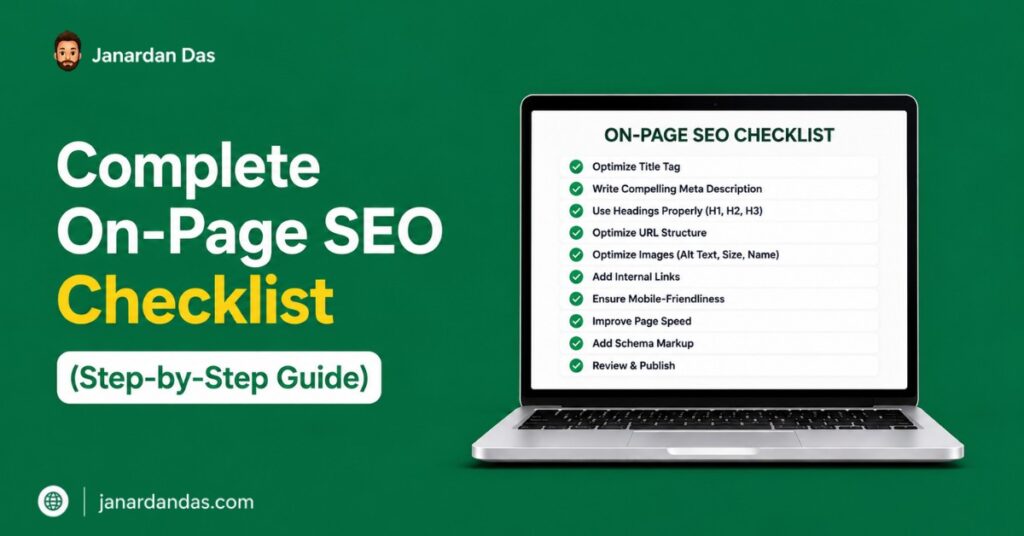
On-Page SEO Checklist: Full Reference Summary
Here is the complete checklist organized by category for quick reference during audits:
Keyword and Intent
- Primary keyword identified and intent confirmed by reviewing top 5 SERP results
- One primary keyword per page with semantic coverage of related subtopics
- Search volume verified before content investment
Title Tag
- Under 60 characters (verify pixel width, not just characters)
- Primary keyword in first half of title
- CTR modifier included (year, format type, power word)
- No keyword stuffing
Heading Structure
- One H1 per page containing the primary keyword
- H2s covering major subtopics with keyword variants naturally included
- H3s breaking down complex H2 sections
- Answer-first paragraph structure under every heading
Meta and URL
- Meta description between 150 and 160 characters with primary keyword and value prop
- URL short, lowercase, hyphenated, keyword-focused
- Primary keyword in first 100 words of body content
- Image alt text descriptive and contextually accurate
Internal Links and Depth
- 3 to 5 internal links per page with descriptive anchor text
- All sub-questions from “People Also Ask” and related searches addressed
- Paragraphs two to four lines maximum
- No orphan pages (all new pages have at least one internal link pointing to them)
AI Optimization
- FAQ section with 5 to 10 complete, standalone answers
- Factually specific claims throughout (named tools, real numbers, mechanisms)
- E-E-A-T signals present at the page level
Frequently Asked Questions
What is on-page SEO and why does it matter?
On-page SEO refers to all the optimizations made directly on a webpage to improve its search engine ranking. This includes title tags, meta descriptions, heading structure, content depth, internal linking, and URL structure. It matters because on-page signals are the primary way Google understands what a page is about and whether it deserves to rank for a given query. Without solid on-page SEO, even strong backlinks cannot compensate for a page that sends unclear or weak relevance signals.
How many keywords should I target per page?
Target one primary keyword per page, supported by five to ten semantic and related keywords that appear naturally throughout the content. Targeting multiple competing primary keywords on a single page dilutes relevance signals and often results in the page ranking weakly for several terms rather than strongly for one. Use separate pages to target distinct primary keywords, then build internal links between them to establish topical authority.
Does keyword density still matter for on-page SEO?
Keyword density as a mechanical percentage has not been a primary ranking factor for many years. Google’s NLP systems evaluate topical relevance, not keyword repetition. However, your primary keyword should appear naturally in the title, H1, at least one H2, the first 100 words, and the conclusion. Forcing a keyword into every other paragraph hurts readability and can trigger a spam signal. Aim for natural coverage, not a specific percentage.
How long should my content be for on-page SEO?
Write as long as the topic demands to fully answer the searcher’s question and all related sub-questions. There is no universal ideal length. A query like “what is a meta description” might be fully answered in 600 words. A query like “on-page SEO checklist” requires significantly more coverage to be competitive. Use top-ranking results for your specific keyword as a benchmark, then aim to go deeper on at least two to three sections that competitors handle superficially.
What is the difference between on-page SEO and technical SEO?
On-page SEO covers the content and HTML elements on individual pages: title tags, headings, content, internal links, images. Technical SEO covers the infrastructure that determines whether search engines can access, crawl, and index those pages: site speed, Core Web Vitals, XML sitemaps, robots.txt, structured data, and canonicalization. Both matter. On-page SEO determines what you rank for. Technical SEO determines whether you can rank at all.
How do I optimize a page for Google’s AI Overviews?
Structure your content with answer-first paragraphs under every heading, include a FAQ section with complete standalone answers, use specific and verifiable factual claims, and maintain a clear H2/H3 heading hierarchy. Google’s AI Overview system pulls from pages ranking in positions one through ten, so the first goal is to rank organically. Once ranked, answer-first structure and FAQ sections significantly increase the probability of being cited in an AI Overview.
Should I update old pages as part of my on-page SEO checklist?
Yes. Refreshing existing pages is often more efficient than publishing new ones. When updating a page, check for keyword cannibalization (other pages competing for the same term), outdated statistics or tool references, missing sub-questions that have emerged in PAA boxes since the original publish date, broken internal links, and title tags that could be improved for CTR. A page refresh that addresses these points often delivers ranking improvements faster than building a new page from scratch because the existing page already has some crawl history and link equity.