
I’ve spent over five years building links for clients across eCommerce, B2B SaaS, D2C brands, and service businesses. In that time, I’ve gone through more link building tools than I care to admit. Some genuinely changed how I work, and a few were expensive lessons in what not to buy.
Here’s the thing about link building tools that most roundup posts skip: the tool doesn’t build the link. You do. But the right tool determines how efficiently you find targets, how fast you identify opportunities, and whether your outreach lands in someone’s inbox or their spam folder.
In 2026, with Google’s March core update tightening the screws on spammy link patterns and AI Overviews changing how organic clicks flow, the quality of every backlink matters more than it did two years ago. That makes choosing the right link building software a more consequential decision, not less.
This guide covers every tool I’ve actually used. Not a theoretical overview. Real verdicts from real campaigns.
What to Look for in a Link Building Tool (Before You Spend Anything)
Most people buy tools based on brand recognition or what they see advertised. That’s how you end up paying for a $400/month platform and using 15% of its features.
Before spending anything, ask yourself four questions:
1. What stage of link building do I need help with?
Link building has four distinct stages: research (finding what’s possible), prospecting (finding who to contact), outreach (the emails themselves), and tracking (managing replies and placements). Different tools serve different stages. Many people buy an all-in-one platform when they only have a problem at one stage.
2. How many campaigns am I running at once?
A solo consultant running two or three campaigns needs a different setup than an agency handling twenty clients. The volume question determines whether you need a dedicated outreach CRM or whether a Google Sheet still works fine.
3. Do I need backlink analysis or just prospecting?
These are different things. Backlink analysis tells you what links already exist for your site and your competitors’. Prospecting finds new sites worth targeting. Some tools do both. Some are excellent at one and mediocre at the other.
4. What’s my realistic monthly budget for tools?
‘ll give you stacks at three budget levels later in this post. The honest answer is that you don’t need to spend $500/month to build good links. But you do need to spend something.
The Best Link Building Tools in 2026: Full Breakdown
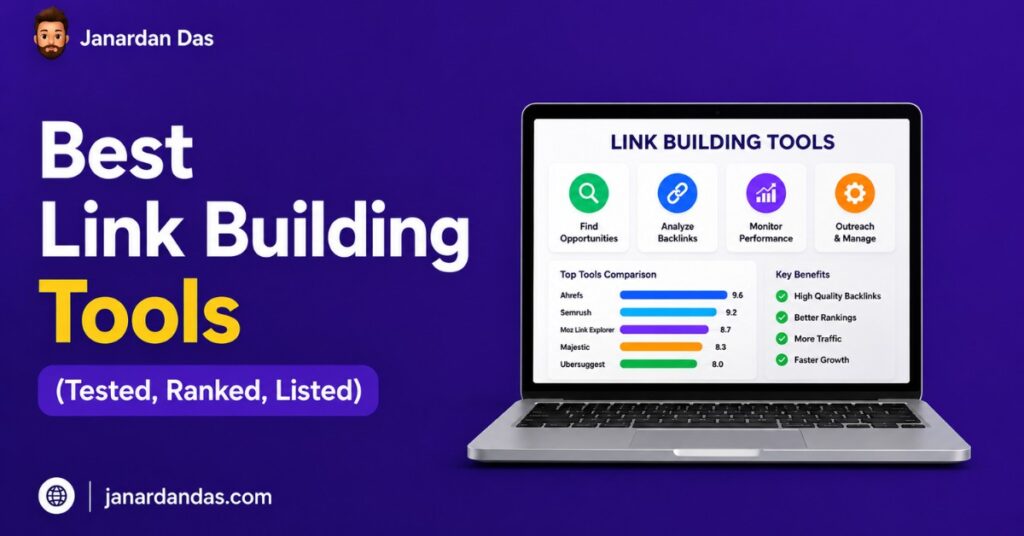
Here’s my quick-reference table of every tool I cover in this post.
| Tool | Primary Use | Starting Price | My Rating |
|---|---|---|---|
| Ahrefs | Backlink analysis + prospecting | $129/mo | 9.5/10 |
| Semrush | All-in-one SEO + link research | $129/mo | 9/10 |
| Pitchbox | Outreach CRM + automation | $550/mo | 8.5/10 |
| BuzzStream | Outreach relationship management | $24/mo | 8/10 |
| Hunter.io | Email finding | $34/mo | 8.5/10 |
| Respona | Outreach + prospecting combined | $99/mo | 8/10 |
| Screaming Frog | Technical crawl + broken links | £259/yr | 9/10 |
| Moz Pro | Backlink analysis | $99/mo | 7/10 |
| Mailshake | Cold email outreach | $58/mo | 7.5/10 |
| HARO (Connectively) | Digital PR link acquisition | Free–$149/mo | 7/10 |
| Snov.io | Email finding + drip campaigns | $30/mo | 7.5/10 |
| Majestic | Backlink data (Trust Flow) | $49/mo | 7/10 |
Backlink Analysis Tools: Understanding What You’re Working With
Before you build a single link, you need to understand the landscape. What does your current backlink profile look like? Where are competitors getting their links? Which pages on competitor sites have the most referring domains? Backlink analysis tools answer all of this.
Ahrefs – Still the Gold Standard
I’ve tried everything. Ahrefs is still the tool I open first on every new campaign.
The backlink database is enormous, with over 35 trillion known links as of 2026, and the data updates faster than any competitor I’ve used. When I pull the referring domains for a competitor’s page, I trust the number. That trust matters when you’re making decisions about where to spend outreach time.
What it’s actually good for in link building:
- Site Explorer → Backlink profile: Shows you every known referring domain to any URL or domain. Filter by DR, traffic, dofollow/nofollow, and link type.
- Link Intersect: You paste in three or four competitor domains and Ahrefs shows you which sites link to all of them but not to you. That’s your prospecting shortlist, handed to you in about 30 seconds.
- Content Explorer: Find the most linked-to content in any niche. Indispensable for skyscraper research and identifying resource page opportunities.
- Broken Backlinks report: Shows you external sites that link to dead pages on your competitors. Ready-made broken link building targets.
What it doesn’t do well:
Ahrefs’ outreach features are minimal. It’s a research and analysis tool, not a campaign management tool. You’ll still need a separate outreach platform.
Pricing: Starts at $129/month (Lite). The Standard plan at $249/month unlocks historical data and more API rows, which matters for agency-scale work.
My verdict: If I could only keep one tool in my entire stack, it’s Ahrefs. Nothing else comes close for backlink research and prospecting depth.
Semrush – The All-in-One That’s Actually Good at Link Building
Semrush has been the “all-in-one” SEO platform for years, and its link building features have genuinely improved. The Backlink Analytics tool is solid, not quite Ahrefs-level on database size, but close enough that for most campaigns, it doesn’t matter.
Where Semrush earns its place in a link building stack is the Backlink Gap tool. You paste in your domain and up to four competitors, and it surfaces every site that links to at least one competitor but not to you. It’s the same concept as Ahrefs’ Link Intersect, executed slightly differently, and for competitor gap analysis, it works very well.
The Link Building Tool inside Semrush is interesting. You input a target keyword, and it generates a prospect list, lets you categorise prospects, and tracks outreach status inside the platform. It’s not as powerful as a dedicated outreach CRM, but for small campaigns or solo SEOs who want everything in one place, it works.
What I use it for specifically:
- Backlink Gap analysis at the start of a new campaign
- Toxic link identification (the Backlink Audit tool is good for this)
- Running technical and keyword research in the same session as backlink research, without switching tabs
Pricing: Starts at $129/month (Pro). The Guru plan at $249/month adds historical data.
My verdict: If you’re already paying for Semrush for keyword research and technical SEO, you don’t necessarily need Ahrefs, too. But if you’re choosing one tool specifically for link building, Ahrefs wins on database quality and prospecting depth.
Moz Pro – Reliable but No Longer Best in Class
Moz invented Domain Authority. That metric is still widely referenced in outreach conversations — when a site owner says “we only accept links from DA 40+ sites,” they’re using Moz’s metric.
But in terms of backlink database size and update frequency, Moz has fallen behind Ahrefs and Semrush. The Link Explorer tool is fine for a quick sanity check, and the Spam Score feature is genuinely useful for identifying risky prospects. I use Moz about once a week, for specific checks. I don’t use it as a primary research tool anymore.
Pricing: $99/month (Standard).
My verdict: Good as a secondary verification tool. I wouldn’t make it my primary backlink platform in 2026.
Majestic – The Trust Flow Specialist
Majestic invented Trust Flow and Citation Flow, two metrics that still matter in competitive niches where link quality is everything. The Topical Trust Flow feature is particularly useful — it tells you what topic area a linking domain is associated with, which is helpful when you’re vetting whether a prospect’s link will actually pass relevant topical authority.
I use Majestic for exactly one thing: vetting high-value prospects before adding them to a campaign. When a site looks good in Ahrefs, but something feels off, running it through Majestic’s Trust Flow often explains why.
Pricing: $49/month (Lite).
My verdict: Not a replacement for Ahrefs or Semrush, but worth the $49 for the Trust Flow data alone on competitive campaigns.
Prospecting Tools: Finding the Right Sites to Target
You’ve analysed the landscape. Now you need a list of sites worth contacting. These tools handle that job.
Ahrefs Content Explorer (Again)
I know I already covered Ahrefs, but Content Explorer deserves its own mention as a prospecting tool because most people don’t use it this way.
Type any topic into Content Explorer, and it shows you every piece of content on that subject across the web, ranked by referring domains, organic traffic, or social shares. Filter for pages with 10+ referring domains and 1,000+ monthly organic visitors. That’s your prospecting pool for skyscraper and resource page outreach — high-authority sites already proven to publish and link in your topic area.
I built a 34-link campaign for a B2B HR tech client entirely from Content Explorer research. Found the 50 most-linked pieces of content in the HR software space, identified which of those pages had links my client’s content could replace or complement, and built the outreach list from there.
Google Search Operators (Free)
Sounds basic. Still works. Here are the exact search strings I use for prospecting:
[topic] + "useful resources"— resource pages[topic] + inurl:links— curated link pages[topic] + "write for us"— guest posting opportunities[topic] + "roundup"— weekly or monthly roundup posts that accept submissionsintitle:"best [topic] blogs"— best-of lists worth pitching for inclusion
This costs nothing and produces thousands of prospects. The limitation is scale — manually processing these results is slow. But for targeted campaigns where quality matters more than volume, Google operators are underrated.
SEO Outreach Tools: Managing the Actual Campaign
Finding prospects is only half the work. Getting your email in front of the right person, tracking whether they opened it, and managing follow-ups across dozens of active conversations — that’s where outreach tools earn their place.
Hunter.io – The Email Finder I Use on Every Campaign
If you need one email-finding tool, make it Hunter.
The domain search feature lets you type any website URL and get a list of all associated email addresses Hunter has found across the web. It usually surfaces the right contact within the first three results. The email verifier checks whether the address is live before you send, which matters for deliverability.
I use Hunter.io at the prospecting stage — after I’ve built my target list in Ahrefs, I run each domain through Hunter to find the right contact before I write a single email.
Pricing: Free plan (25 searches/month). Starter plan at $34/month gives you 500 searches. For most individual campaigns, the Starter plan is enough.
My verdict: An essential tool. The free plan covers light usage; the paid tier is worth it the moment you’re running multiple campaigns.
BuzzStream – Relationship Management for Outreach at Scale
BuzzStream sits in an interesting category. It’s not a cold email tool. It’s a relationship management system for link building, which is a different thing.
When you add a prospect to BuzzStream, it automatically pulls their social profiles, recent posts, and contact information. You can tag prospects by type (resource page, broken link, guest post), assign them to team members, log every interaction, and track campaign progress across your entire team.
What it does particularly well: it keeps history. If a prospect replied positively to an outreach email six months ago and went cold, BuzzStream shows you that when you come back to them. That context is invaluable for relationship-based link building where you’re building over time rather than one-shot blasting.
What it doesn’t do: BuzzStream isn’t built for high-volume cold email automation. It’s better for campaigns where you’re managing ongoing relationships with 50–200 prospects at a time rather than blasting 1,000 emails a week.
Pricing: $24/month (Starter, 1 user). Most small agencies will want the Group plan at $124/month for team access.
My verdict: The best tool I’ve used for managing link building relationships at a human pace. If you’re running relationship-first campaigns, not spray-and-pray outreach, BuzzStream is worth every penny.
Pitchbox – The Enterprise Outreach Machine
Pitchbox is expensive. Starting at $550/month, it’s firmly in agency territory. But for teams running multiple simultaneous campaigns across different clients, the price makes sense.
The platform handles prospect discovery (it has its own built-in search), email personalisation at scale, sequence management, and detailed reporting. The reporting alone — open rates, reply rates, link placement rates by campaign — is more detailed than anything else I’ve used.
What separates Pitchbox from cheaper alternatives is the personalisation engine. You can build conditional email logic: if the prospect has a blog about topic X, use template A; if their DR is below 30, use template B. For large agency teams where multiple people are running outreach simultaneously, that logic prevents the embarrassing situation where the same prospect gets contacted by two different team members with different messages.
I used Pitchbox for two years at a previous agency. When I went independent, I dropped it. The feature set is genuinely impressive, but at $550/month, it’s hard to justify unless you’re running five or more client campaigns simultaneously.
Pricing: $550/month (Basic). Enterprise pricing on request.
My verdict: Excellent tool for agencies. Overkill for solo SEOs or small teams. If you’re billing enough clients to justify the cost, you’ll use it. If you’re not, start with BuzzStream or Respona.
Respona – The Best Mid-Tier Option
Respona sits between BuzzStream and Pitchbox in both price and capability. It combines built-in prospecting (podcast search, blog search, content search) with email outreach automation and basic CRM functionality.
The thing I genuinely like about Respona: the personalisation workflow is built into the platform rather than bolted on. Before you send any email, Respona shows you the prospect’s most recent content and prompts you to reference it in your opening line. That single forced step, actually reading what they wrote before hitting send, pushes reply rates up noticeably compared to platforms that let you blast without that pause.
For a solo consultant or a small team (2–4 people) running three to five campaigns simultaneously, Respona hits the sweet spot.
Pricing: $99/month (Starter, one user, 1,000 email credits). Pro at $399/month for teams.
My verdict: My current recommendation for anyone who’s outgrown BuzzStream but isn’t ready to commit to Pitchbox pricing. The forced personalisation step alone makes it worth it.
Mailshake – Cold Email Done Simply
Mailshake isn’t built specifically for link building. It’s a general cold email platform that link builders have adopted because it’s simpler and cheaper than Pitchbox while still handling sequences and follow-ups competently.
If your workflow is: build a list in Ahrefs → find emails in Hunter → send sequences from Mailshake, this works fine and costs under $100/month combined. The limitation is that Mailshake has no link-building-specific features, no broken link tracking, no prospect categorisation by outreach type, and no built-in content research.
Pricing: $58/month (Starter).
My verdict: A reasonable budget option if you’re already comfortable managing your prospect data externally in a spreadsheet. Not the right choice if you need CRM functionality.
Snov.io – Email Finding Plus Outreach in One
Snov.io combines email finding, email verification, and drip campaign sending in one platform. The email finder works well, comparable to Hunter.io on most domains, and the built-in drip campaigns mean you don’t need to export to a separate outreach tool for smaller campaigns.
Where it falls short: the database is smaller than Hunter.io’s on niche or international domains, and the outreach features are simpler than Pitchbox or even Respona. But at $30/month, it gives you capabilities that would cost $60+ if you split them across Hunter and Mailshake separately.
Pricing: $30/month (Starter).
My verdict: Good value for the price. A legitimate Hunter alternative if you want email finding and basic outreach in one subscription.
Technical Crawlers: Finding Broken Link Opportunities
Broken link building is my highest-converting outreach type, consistently 15–25% conversion on well-targeted campaigns. But you need a crawler to find broken links at scale.
Screaming Frog – The Non-Negotiable Technical Tool
Screaming Frog is the industry standard for technical SEO crawling, and it’s also one of the most underrated link building tools in the stack.
For broken link building, here’s exactly how I use it:
- Take a high-authority page in my niche from Ahrefs Content Explorer
- Crawl it in Screaming Frog with “Check External Links” enabled
- Filter for 404 status codes in the outgoing links report
- Cross-reference those broken links with what’s on my site or what I could create
- Export the list and build my outreach around it
The paid version (£259/year — roughly $330) unlocks unlimited URL crawling, custom extraction, and API integrations. The free version limits you to 500 URLs, which is enough to test whether the workflow suits you.
My verdict: If you’re doing any volume of broken link building or technical SEO, the annual licence pays for itself in the first campaign.
Ahrefs (Broken Backlinks Report – Again)
Yes, Ahrefs appears in almost every section of this guide. The Broken Backlinks report under Site Explorer shows you all the inbound links pointing to 404 pages on any domain you search. This is slightly different from Screaming Frog — instead of crawling a page’s outgoing links, you’re looking at dead pages that still have active external links pointing to them.
Both approaches are useful and complement each other. I typically use Ahrefs first (faster, larger scale) and Screaming Frog for detailed crawls of specific sites.
Digital PR and HARO-Style Tools
Digital PR links earned through journalist mentions, expert quotes, and data studies are among the most valuable links you can acquire. They come from high-authority editorial sources that you simply cannot reach through standard outreach. The links earned from one good digital PR piece can outperform months of manual outreach.
Connectively (Formerly HARO)
HARO was acquired and rebranded as Connectively. The core concept remains the same: journalists and bloggers post requests for expert sources, you respond with a relevant quote or insight, and if they use your contribution, they link to your site.
The free tier gives you three platform submissions per day and access to all source requests. The paid plans ($19–$149/month) add keyword alerts so you only see requests relevant to your niche.
Honest assessment: Connectively’s response rates have dropped since the rebrand and the platform consolidation. There are more people responding to each request than there were in HARO’s peak years. Getting placed consistently requires fast responses and genuinely expert-level insights — not generic quotes that could have come from anyone.
I still use it, but I’m selective. I only respond to requests where I have a specific data point or case study example to share, not just a general opinion.
My verdict: Worth using on the free tier. The paid tiers are only justified if you’re responding at high volume and the keyword alerts save you significant filtering time.
Qwoted and Featured.com
Both are alternatives to Connectively that have grown in the space it left behind. Qwoted focuses on PR and journalism connections. Featured.com is heavily used by SEOs for building links through expert round-up features.
I’ve had more consistent link placements from Featured.com than from Connectively in the last 12 months. The requests tend to be more SEO-content-focused than traditional journalism, which means the resulting links often come from content sites rather than news publishers — slightly less prestigious, but more reliably obtained.
Pricing: Both offer free tiers. Featured.com Pro starts at $99/month.
Link Building Tool Stacks by Budget
This is the section most guides skip. Here’s exactly what I’d recommend at three different spending levels.
Stack 1: Under $100/month (Solo SEO, Early Stage)
- Ahrefs Lite ($129/month) — I know this takes you slightly over $100, but there’s no honest alternative for backlink research at this level. If you genuinely can’t stretch to it, use the free Ahrefs Webmaster Tools for your own domain and Semrush’s free tier for competitor research.
- Hunter.io free tier — 25 searches/month is tight but workable for 1–2 campaigns.
- BuzzStream Starter ($24/month) — manage outreach and track relationships.
- Screaming Frog free — 500 URL crawl limit, enough for targeted broken link checks.
- Google Search operators — free, unlimited prospecting.
Total: ~$153/month. This stack handles 2–3 simultaneous campaigns professionally.
Stack 2: $200–$400/month (Growing Agency or Serious Freelancer)
- Ahrefs Standard ($249/month) — historical data and higher API limits matter at this scale.
- Hunter.io Starter ($34/month) — 500 searches/month.
- Respona Starter ($99/month) — prospecting plus outreach in one platform.
- Screaming Frog paid (£259/year ≈ $28/month) — unlimited crawls.
Total: ~$410/month. This stack handles 5–8 campaigns simultaneously with proper CRM management.
Stack 3: $500+/month (Agency with Multiple Clients)
- Ahrefs Standard or Agency ($449/month) — multiple user seats, higher limits.
- Pitchbox Basic ($550/month) — team outreach management, advanced reporting.
- Hunter.io Growth ($104/month) — 5,000 searches/month for high-volume prospecting.
- Screaming Frog paid ($28/month) — unlimited crawls.
- Majestic Pro ($99/month) — Trust Flow vetting for high-value prospects.
Total: ~$1,230/month. This is agency infrastructure. If you’re billing this much in client fees, the tooling pays for itself.
Tools I Stopped Using (And Why)
NinjaOutreach: Decent concept, but the email database accuracy was inconsistent in my testing — too many bounces on niche B2B domains. Dropped it in favour of Hunter.io.
SEMrush’s built-in Link Building Tool: The prospect generation is surface-level compared to building a list manually in Ahrefs. Good for people who want everything in one platform; not for serious link building campaigns.
GroupHigh: Marketed as an influencer and blogger outreach tool. It worked when influencer-focused link building was more viable. In 2026, with Google’s policies tightening on sponsored content disclosure, the use case has narrowed considerably.
Any tool promising “automated link building”: I’ve tested four or five of these over the years. They all produce low-quality links that either don’t move rankings or get algorithmically devalued. The time spent cleaning up after these tools is never worth the apparent shortcut.
Common Mistakes When Choosing Link Building Software
Buying an outreach tool before your content is ready. The most expensive mistake. A $500/month outreach platform cannot fix a mediocre page. Build the asset first. Add the tool when you’re ready to actually pitch it.
Paying for an all-in-one when you only have one problem. If your only gap is email finding, pay for Hunter.io ($34/month). Don’t buy Semrush ($129/month) for its email finding when you’re already using Ahrefs for everything else.
Ignoring deliverability. The best outreach sequence in the world doesn’t matter if it’s landing in spam. Before any campaign, warm up your sending domain with a tool like MailReach or Lemwarm. This is a separate cost most guides don’t mention — budget around $29/month for it.
Switching tools mid-campaign. I’ve made this mistake. Midway through a 200-prospect campaign, I started migrating data from BuzzStream to Respona because Respona looked better. Lost context on 40 conversations. Finish the campaign with the tool you started with.
Using a tool’s reply rate as the benchmark. Every tool claims high open and reply rates in their marketing. The only number that matters is links secured per hour of work invested. Track that metric from the first campaign.
Expert Verdict from Janardan Das
After five years of building links across dozens of niches, here’s what I actually believe about link building tools:
Most people are over-tooled. They’ve subscribed to four or five platforms, use each one for 20% of what it can do, and end up with a fragmented workflow and a combined bill that doesn’t reflect the results they’re getting. A simpler stack — two or three tools used deeply — consistently outperforms a complex one used shallowly.
If I had to start from scratch tomorrow with a $200/month budget, I’d pick Ahrefs and BuzzStream. Ahrefs for research and prospecting. BuzzStream for managing the conversations. Hunter.io free tier for email finding on smaller campaigns. Everything else — Google operators, Screaming Frog free, Connectively free — is available at no cost.
The link building is still in the email. The tool just helps you find where to send it and whether it arrived.
One thing I’ve noticed in 2026 that I didn’t see as clearly three years ago: the tools that make you slow down and personalise — Respona’s forced content review step, BuzzStream’s automatic contact enrichment — produce consistently better results than the tools that optimise for volume. The market has figured out generic outreach. Personalised outreach at moderate volume is still underpenetrated.
Also: invest in Screaming Frog before you invest in Pitchbox. Broken link building has the highest conversion rate of any outreach type I’ve run. You need a crawler to do it properly. The licence is £259 a year. That’s cheap for what it unlocks.
Conclusion
The best link building tools in 2026 are the ones that match your workflow, your budget, and the stage of link building you actually need help with.
Key takeaways:
- Ahrefs is the best backlink research and prospecting tool — nothing else comes close on database quality and depth.
- For outreach management: BuzzStream for relationship-first campaigns, Respona for the mid-tier, Pitchbox for agencies running five or more client campaigns.
- Hunter.io is non-negotiable for email finding — accurate, fast, and worth the Starter plan the moment you’re running more than one campaign.
- Screaming Frog unlocks broken link building — one of the highest-converting link building strategies available, and the crawler is what makes it scalable.
- Start simple. A two-tool stack used well beats a five-tool stack used poorly every time.
If you’re just getting started with link building tools, begin with Ahrefs and Hunter.io. Add a CRM (BuzzStream or Respona) once your prospecting process is consistent. Layer in Screaming Frog when you’re ready to add broken link building to your repertoire.
The tools are there to support the strategy. Build the strategy first.
Frequently Asked Questions
What are the best link building tools in 2026?
The best link building tools depend on what stage of link building you’re working on. For backlink analysis and prospecting, Ahrefs is the strongest option available. For outreach management, BuzzStream suits smaller campaigns and Pitchbox suits agencies. For email finding, Hunter.io is the most reliable. For technical crawling and broken link discovery, Screaming Frog is the industry standard. Most practitioners need two or three tools, not one platform that claims to do everything.
Is Ahrefs or Semrush better for link building?
For pure link building research and prospecting, Ahrefs has a larger backlink database and better prospecting tools — particularly Content Explorer and Link Intersect. Semrush is stronger for all-in-one SEO workflows where you want keyword research, technical auditing, and backlink analysis in a single platform. If link building is your primary focus, choose Ahrefs. If you need an all-in-one tool and link building is one of several use cases, Semrush is a fair alternative.
What link building tools are free?
Several solid options exist at zero cost. Google Search Console gives you your own backlink data. Ahrefs Webmaster Tools (free) provides backlink data for verified domains. Google search operators are free and highly effective for prospecting. Screaming Frog’s free version crawls up to 500 URLs. Hunter.io’s free plan includes 25 email searches per month. Connectively (formerly HARO) has a free tier for journalist source requests. A free-only stack is limiting but functional for a single small campaign.
How much should I spend on link building tools?
A solo SEO running 1–2 campaigns needs roughly $150–200/month for a functional stack (Ahrefs Lite + Hunter Starter + BuzzStream Starter). A small agency running 5–8 campaigns should budget $400–500/month (Ahrefs Standard + Respona + Hunter + Screaming Frog). An agency running 10+ campaigns simultaneously should plan for $1,000–$1,500/month, which is when Pitchbox and multi-seat Ahrefs licences become justified.
What is the best outreach tool for link building?
It depends on your team size and campaign volume. For solo practitioners: BuzzStream ($24/month) for relationship management, or Mailshake ($58/month) for simple email sequences. For small teams of 2–4 people: Respona ($99/month) combines prospecting and outreach in one platform with a built-in personalisation step. For agencies: Pitchbox ($550/month) handles multi-client campaign management, team assignment, and detailed reporting at scale.
Do I need Pitchbox for link building?
No — unless you’re an agency running five or more client campaigns simultaneously. Pitchbox is genuinely excellent software, but at $550/month, it’s one of the most expensive tools in this category. Solo SEOs and small agencies get 80–90% of the same functionality from BuzzStream or Respona at a fraction of the price. Buy Pitchbox when your billing outpaces its cost, not before.
Is Hunter.io accurate for finding email addresses?
Hunter.io is the most accurate email finding tool I’ve used consistently. The email verification feature checks whether an address is live before you send, which matters significantly for deliverability. On niche B2B domains and smaller blogs, it occasionally can’t find a direct email and falls back to a generic address pattern, but it’s transparent about confidence levels, which lets you decide whether to use the result or seek the contact through other means (LinkedIn, contact pages).
What tool is best for broken link building?
Screaming Frog is the best tool for crawling specific pages to find broken outgoing links. Ahrefs is better for finding broken links at scale, specifically, it shows you inbound links pointing to 404 pages on any domain you search, which gives you a ready-made list of sites that have already linked to dead resources. In practice, combining both tools gives you the most comprehensive broken link opportunity set: Ahrefs for broad discovery, Screaming Frog for detailed page-level crawls.
Can I do link building without paid tools?
Yes, though it’s slower and more limited in scale. The free combination of Ahrefs Webmaster Tools (for your own backlink data), Google Search Console (for your link profile), Google search operators (for prospecting), Hunter.io free (for email finding), and Screaming Frog free (for crawls up to 500 URLs) gives you a functional workflow for one or two campaigns. The main limitation is the prospecting depth; you can’t do competitor backlink analysis or use Link Intersect without a paid Ahrefs subscription. For serious, ongoing link building, at least Ahrefs Lite is worth the investment.
How do I know if a backlink tool’s data is accurate?
The honest answer is that no backlink tool has complete data, not even Ahrefs. The web is too large and changes too fast. What you’re looking at in any tool is a sample, not a census. Ahrefs and Semrush are generally considered the most comprehensive samples available, which is why they’re priced higher than alternatives. For most practical purposes, finding prospects, analysing competitor profiles, and identifying broken link opportunities, the leading tools are accurate enough to make good decisions. Where precision really matters (e.g., before disavowing a link), always cross-reference between at least two tools.
Does Semrush have a link building tool?
Yes. Semrush has a dedicated Link Building Tool inside the platform that generates prospect lists based on target keywords, lets you manage outreach status, and tracks link placements. It’s more capable than it was two years ago, but still falls short of dedicated outreach platforms like Pitchbox or Respona for campaign management. It’s a reasonable option for users who want everything inside Semrush and are running lighter campaigns, but for serious link building volume, a dedicated outreach CRM alongside Semrush gives better results.
What is the difference between link building tools and SEO outreach tools?
Link building tools is the broader category that covers everything from backlink analysis platforms (Ahrefs, Semrush, Moz) to technical crawlers (Screaming Frog) to email finders (Hunter.io) to outreach management platforms (Pitchbox, BuzzStream). SEO outreach tools refer specifically to the subset focused on the actual email campaign: finding contacts, sending messages, managing replies, and tracking placements. Most link building workflows need both types of research tools to identify opportunities and outreach tools to pursue them.